ZUGFeRD 2.3 Profiles Explained: Which One Do You Need for the German Mandate?
ZUGFeRD has five profiles — but only two actually qualify for Germany's B2B e-invoicing mandate. This guide cuts through the confusion and tells you exactly which profile to use.
ZUGFeRD is Germany's hybrid e-invoice format: a PDF/A-3 file with embedded XML. But it has five different profiles (levels of data completeness), and choosing the wrong one means your invoice does not comply with the German mandate — even if it looks correct.
The Five Profiles and Whether They Qualify
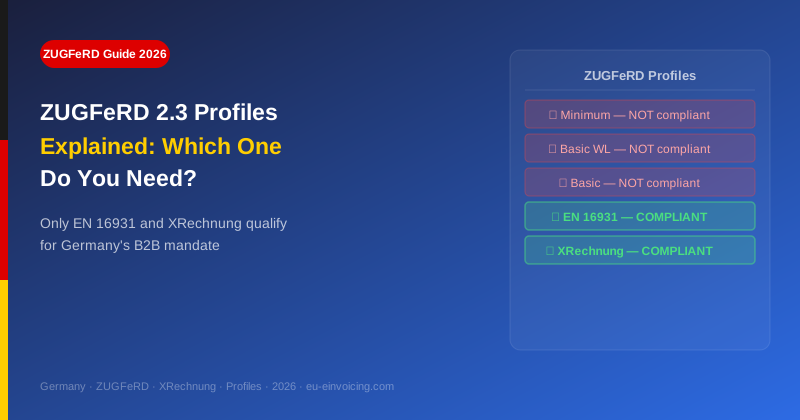
| Profile | Compliance | Use Case |
| **Minimum** | ❌ Does NOT qualify | Internal use only — missing many mandatory fields |
| **Basic WL** | ❌ Does NOT qualify | Line-item invoices with minimal buyer/seller data |
| **Basic** | ❌ Does NOT qualify | Closer to compliant but still missing required fields |
| **EN 16931** (also called "Comfort") | ✅ **Qualifies** | Standard B2B invoicing — the most common compliant choice |
| **XRechnung** | ✅ **Qualifies** | All EN 16931 fields + additional German-specific requirements |
For the German B2B mandate: always use EN 16931 or XRechnung profile.
What Makes EN 16931 Profile Different
The EN 16931 profile requires all fields that are mandatory under the European e-invoice standard (EN 16931). This includes:
- Buyer and seller VAT IDs (structured, not just free text)
- Payment terms and due date (IBAN required)
- Tax category codes per line item
- Buyer reference field (BT-10) — critical for B2G and increasingly required for B2B
- Country codes in ISO 3166 format
If your software generates "EN 16931" or "Comfort" level ZUGFeRD, you are compliant for B2B invoicing.
The XRechnung Profile in ZUGFeRD
The XRechnung profile in ZUGFeRD is the same as standalone XRechnung but embedded in a PDF. It adds:
- Leitweg-ID support (mandatory for B2G routing)
- Stricter validation rules aligned with KoSIT's XRechnung specification
- Required for all invoices to German public authorities
For private-sector B2B customers, EN 16931 is sufficient. For public-sector customers: always use XRechnung profile.
How to Check Which Profile Your Software Generates
In most German accounting tools:
- sevDesk: Profile selector in e-invoice settings — choose "EN 16931" or "XRechnung"
- DATEV: Configured by your tax advisor or in Mittelstand Faktura settings
- easybill: Document settings → E-Invoice → ZUGFeRD → Profile
- Lexware: Invoice settings → Digital invoice format → ZUGFeRD level
After generating an invoice, validate it with the KoSIT online validator — it will confirm the profile.
Common Mistake: Software Updated but Default Profile Not Changed
Several German SMEs discovered that after their software updated to ZUGFeRD 2.3, the default profile was reset to "Basic" (non-compliant). Always check the profile after a software update.